



Nessus Vulnerability Scanning Project

Installing, configuring, and utilizing Nessus to scan vulnerable machines.

Project Overview

  • The primary goal of the project was to:

    • Install and set up Nessus on an Ubuntu system
    • Perform both basic and credentialed network scans
    • Customize scan policies and configurations
    • Analyze scan results to identify and prioritize vulnerabilities
    • Implement best practices to minimize scan impact on network resources

Installation and Setup

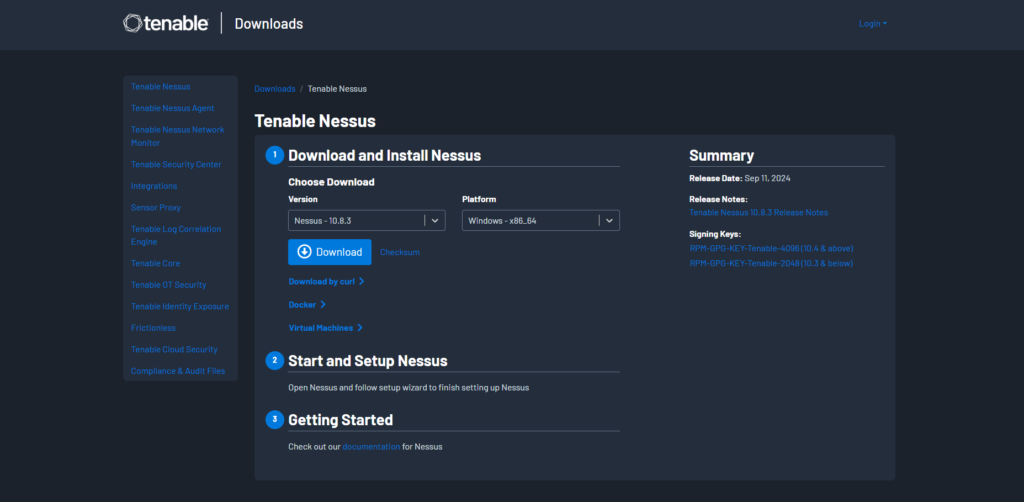
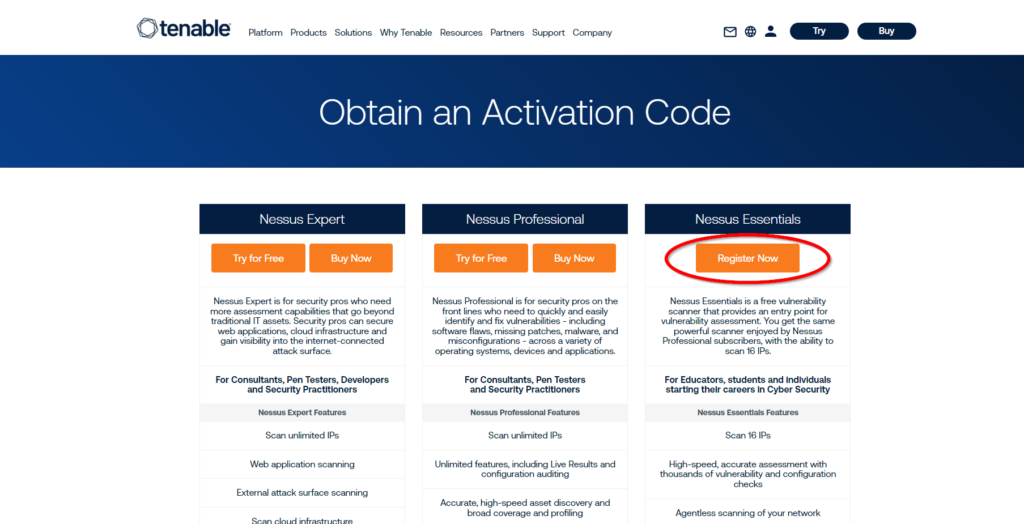
Registering for an Activation Code

Installing and Starting Nessus

Using the terminal, I installed Nessus with the following command:

  • sudo dpkg -i Nessus-10.7.4-ubuntu1404_amd64.deb

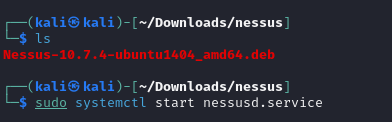
After installation, I initiated the Nessus service:

  • sudo systemctl start nessusd.service

Accessing Nessus Essentials

After running the systemctl command shown above, Nessus should start running locally on port 8834.
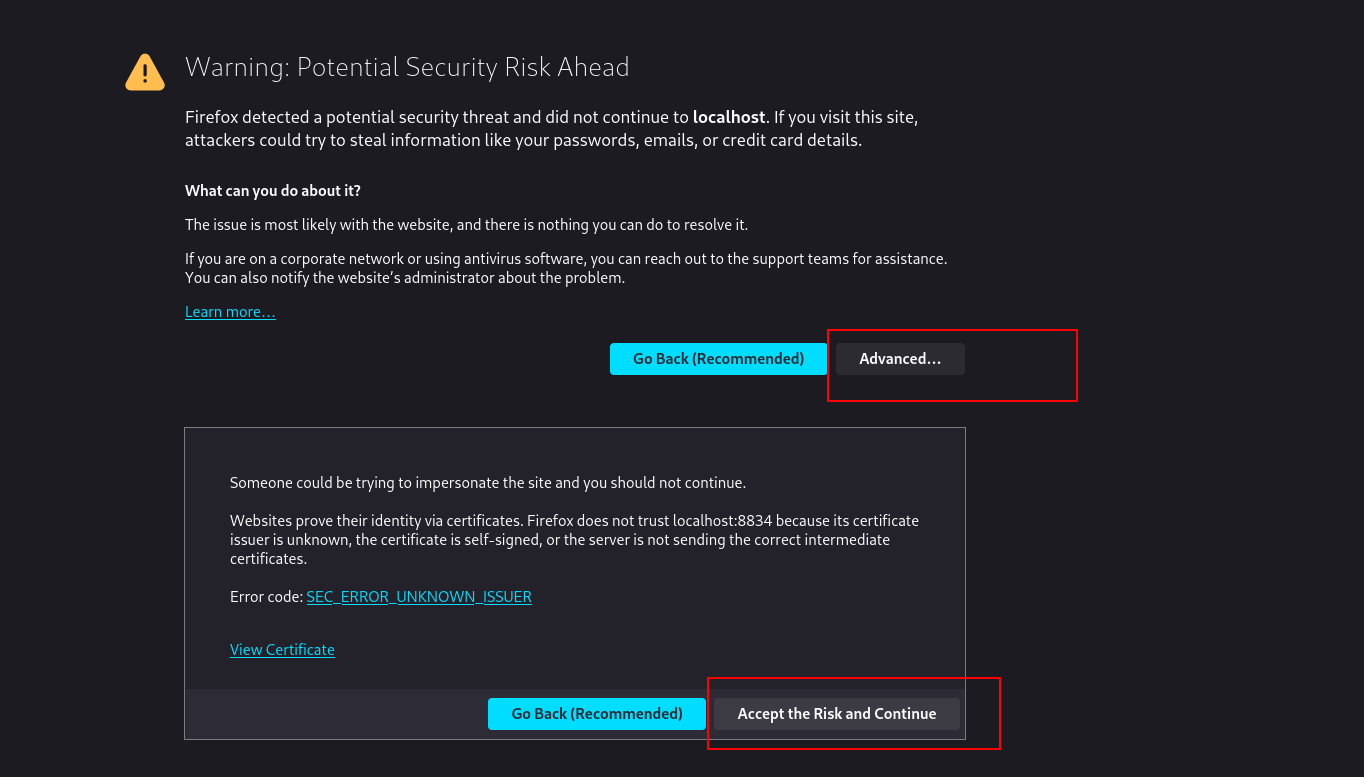
Navigate to https://localhost:8834/ on your web browser, you may need to click past a security warning.

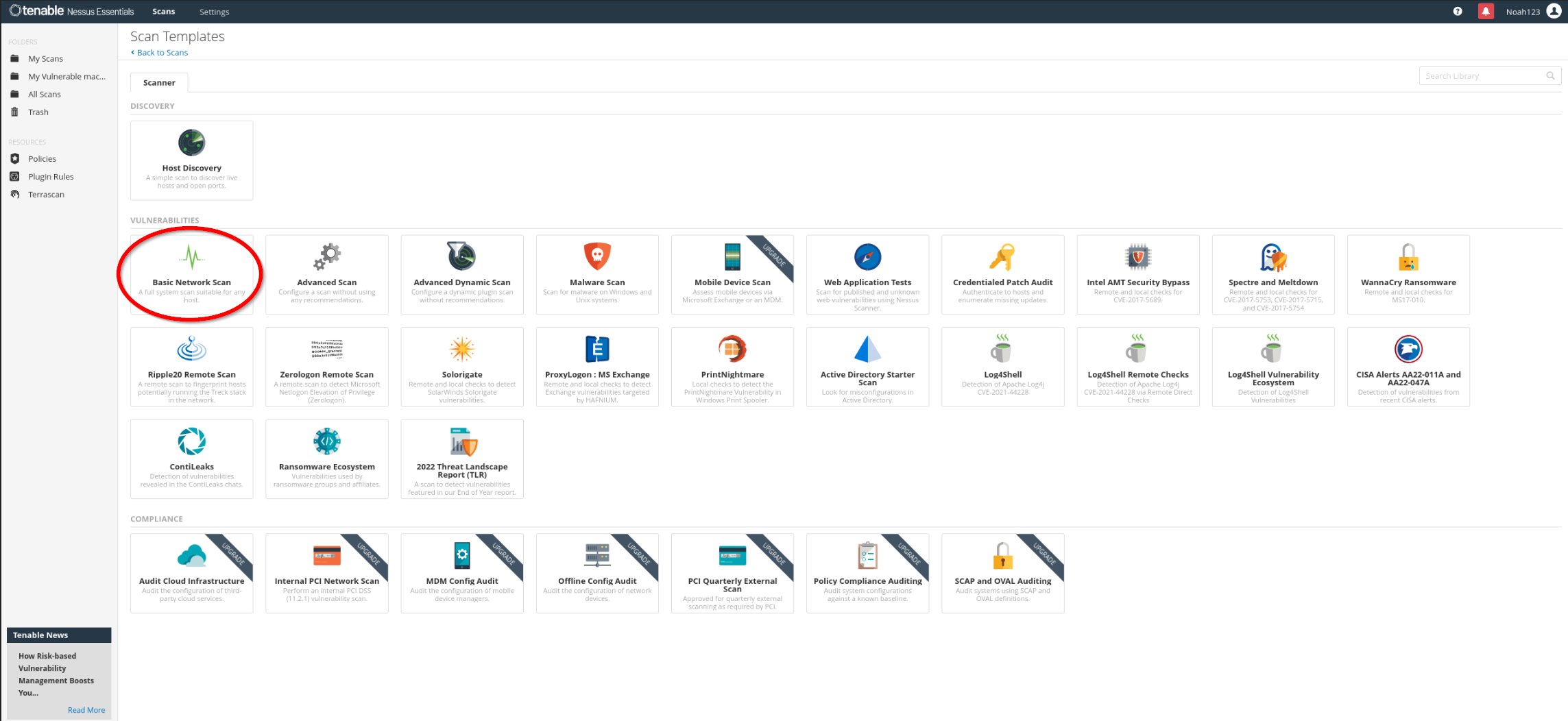
Basic Network Scan

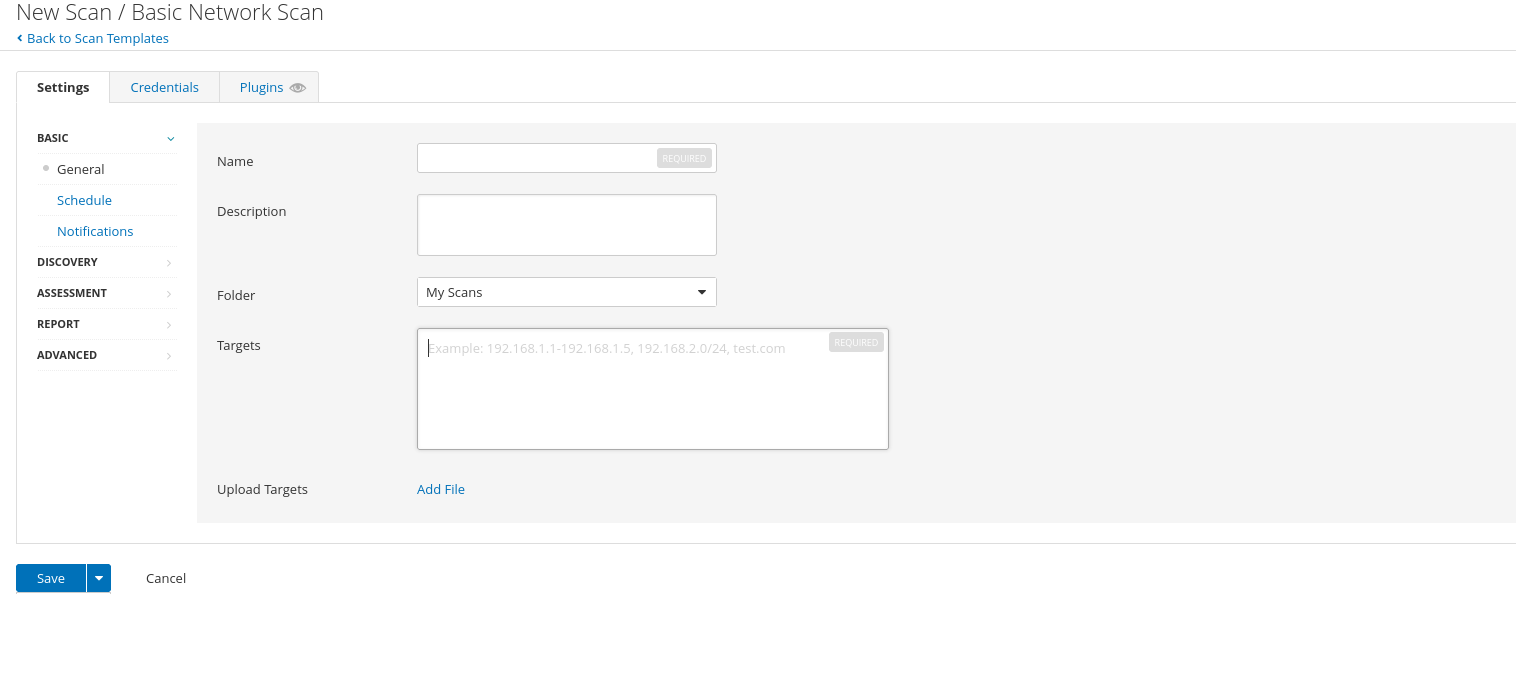
I selected the Basic Network Scan template to begin assessing the network. This scan type allows for:

    • Customization of targets
    • Scheduling for automated scans
    • Addition of credentials for deeper analysis
    • Advanced settings for performance and safety

Safety Precautions

To prevent potential disruptions:

  • Enabled Safe Checks: This minimizes the risk of crashing fragile applications or services.
  • Adjusted Performance Settings: Configured the scan to slow down upon detecting network congestion.
  • Set Host Responsiveness Checks: Stopped scanning hosts that became unresponsive.

Advanced Scan

With advanced scan options you can perform:

  • Wordlists for Brute Forcing: Added custom wordlists to test for weak passwords.
  • Web Application Tests: Enabled web crawling to discover hidden vulnerabilities.
  • User Enumeration: Performed RID brute forcing for user enumeration.

Credentialed Scan (Most effective)

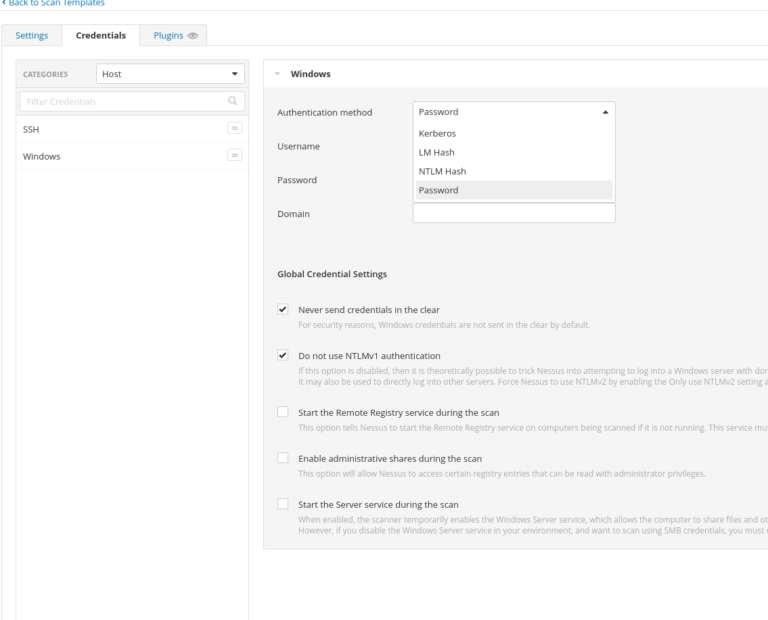
Credentialed scans offer a deeper level of vulnerability assessment. In the Credentials tab:

  • Windows Credentials: Added options such as password, Kerberos, LM, and NTLM hashes.
  • Database Credentials: Configured credentials for databases like Oracle, PostgreSQL, MySQL, and SQL Server.
  • Plaintext Service Authentication: Enabled authentication for services like FTP, HTTP, IMAP, IPMI, and Telnet.

Addressing Common Issues

  • Firewall Interference

    When scans showed all ports as open or closed due to firewall restrictions, I:

    • Disabled ICMP Pings: In an Advanced Scan, I turned off the “Ping the remote host” option, allowing the scan to proceed without initial ICMP checks.

    Scan Impact Management

    To mitigate potential negative effects:

    • Adjusted Concurrent Checks: Modified the Max Concurrent Checks Per Host to limit resource usage.
    • Avoided DoS Checks: Ensured that Denial of Service plugins were not enabled, as DoS testing was out of scope.
    • Enabled Safe Checks: Reduced the risk of disrupting services during the scan.

Monitoring Network Impact

Used vnstat to monitor real-time network traffic during scans:

sudo vnstat -l -i eth0

This helped in assessing and adjusting the scan’s impact on network resources.

Running the Scan

  • Initiated the scan by clicking the Start button in the Nessus interface. The duration depended on:

    • Depth of the Scan: More thorough scans took longer.
    • Target System Performance: The intentionally vulnerable Windows machine provided ample data for analysis.

Analyzing the Scan

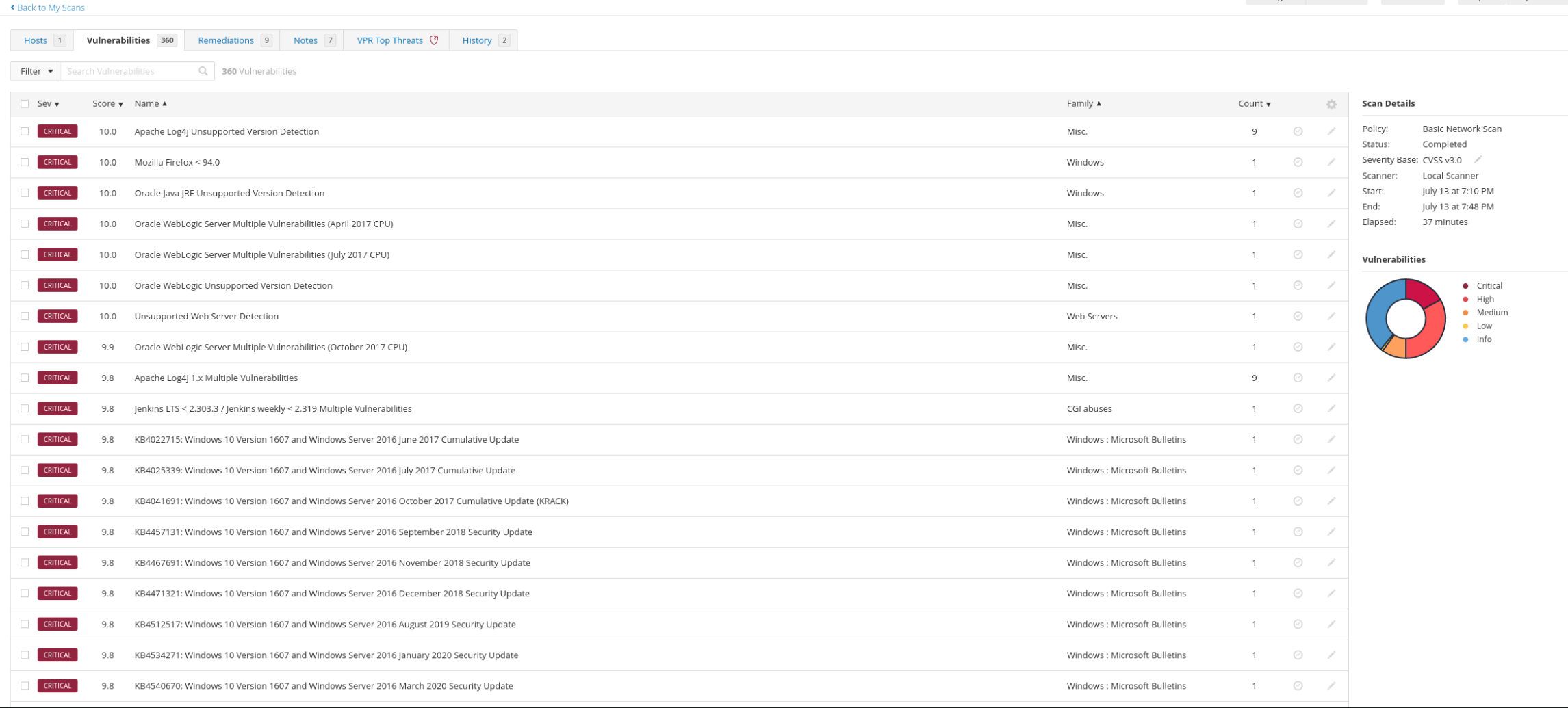
  • Upon completion, the scan revealed:

    • 76 Critical Vulnerabilities
    • 129 High
    • 41 Medium
    • 2 Low
    • 252 Informational

    These elevated numbers were expected due to the target being deliberately vulnerable.

    Vulnerability Management

    • Severity Ranking: Reviewed vulnerabilities sorted by CVSS v3.0 scores.
    • Filtering: Used filters to focus on specific vulnerabilities.
    • Prioritization: Identified critical issues for immediate remediation.

Key Learning and Skills Demonstrated

Vulnerability Assessment: Gained hands-on experience in identifying and analyzing network vulnerabilities.

Tool Proficiency: Developed expertise in configuring and utilizing Nessus for various scanning scenarios.

Security Best Practices: Applied safe scanning techniques to minimize the risk to network resources.

Problem-Solving: Addressed common issues like firewall interference and scan impact management.

Data Analysis: Interpreted scan results to make informed decisions on vulnerability prioritization.

From CPTS to OSCP+: Using the Sword to Slay the Dragon​

From CPTS to OSCP+: Using the…

From CPTS to OSCP+: Using the Sword to Slay the Dragon From CPTS to OSCP+: Using the Sword to Slay the Dragon So I passed the OSCP+ WOOHOO!!!. Now it’s time for me to help…
Penetration Testing Writeup: “Active” (Retired Machine from HackTheBox)

Penetration Testing Writeup: “Active” (Retired Machine…

Executive Summary This report summarizes a penetration test conducted against a Windows Active Directory environment. The testing identified critical vulnerabilities including the storage of administrative credentials in Group Policy Preferences (GPP) and weak password policies,…

My Methodology for Passing Any Certification in Under 2 Months

My Methodology for Passing Any Certification…

My Methodology for Passing Any Certification in Under 2 Months Hello! I wanted to share my methodology for earning certifications and learning efficiently without sacrificing quality. Over the years, I’ve developed a system that helps…

More Info

Contact me here 👇

Quick Links

© 2024 Created with Royal Elementor Addons