


Sophia Learning Transfer Guide

< Speedrun General Education Before WGU >

What you need to know if you want to transfer into WGU with Sophia.org

NOTICE: You cannot do this if you are past the wgu transfer phase.

You would need to fully unenroll and hope they accept you again.


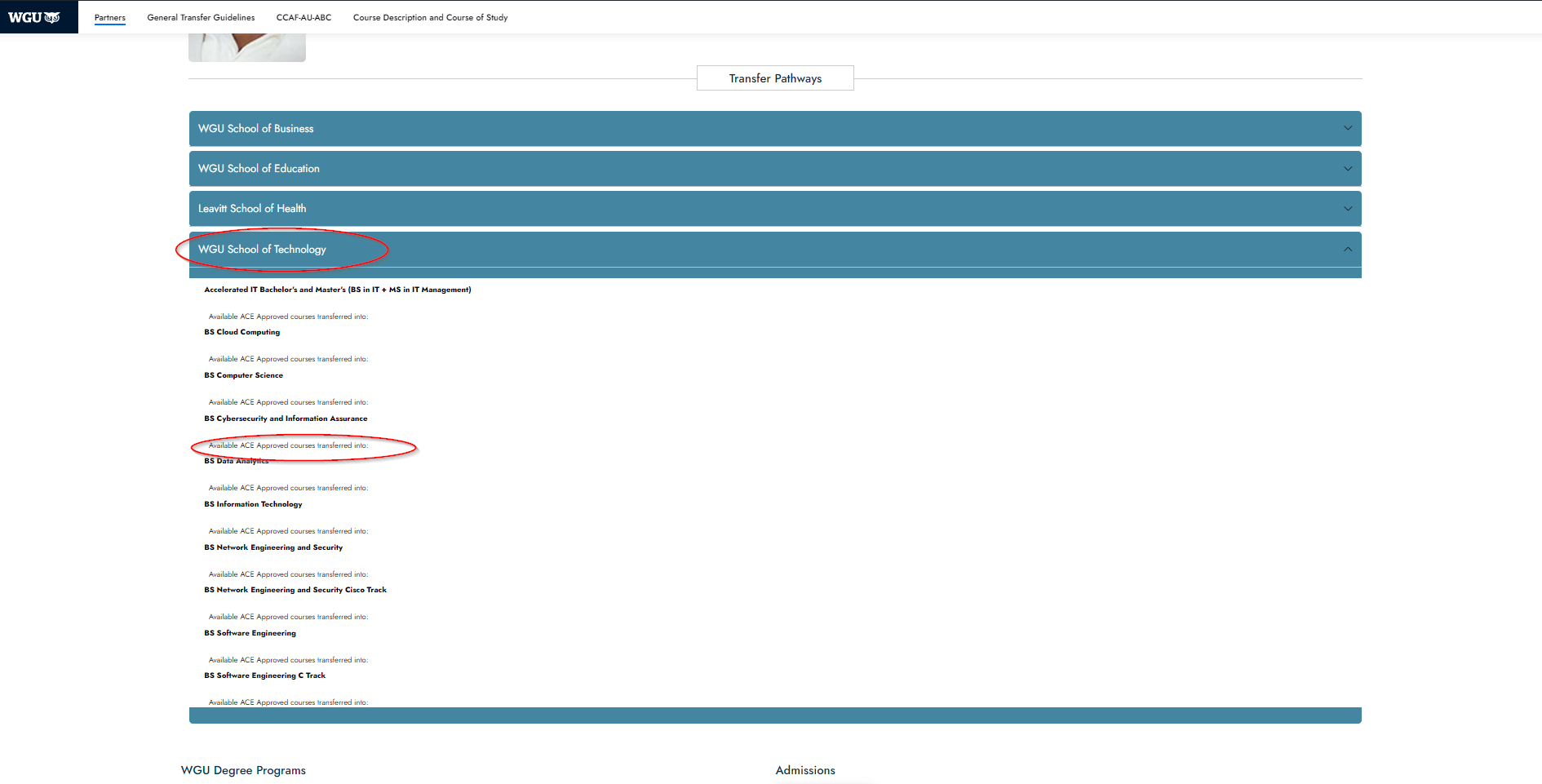
  • Here you can select your degree plan. In this case, I selected the BS Cybersecurity and Information Assurance.

Viewing Transferable classes

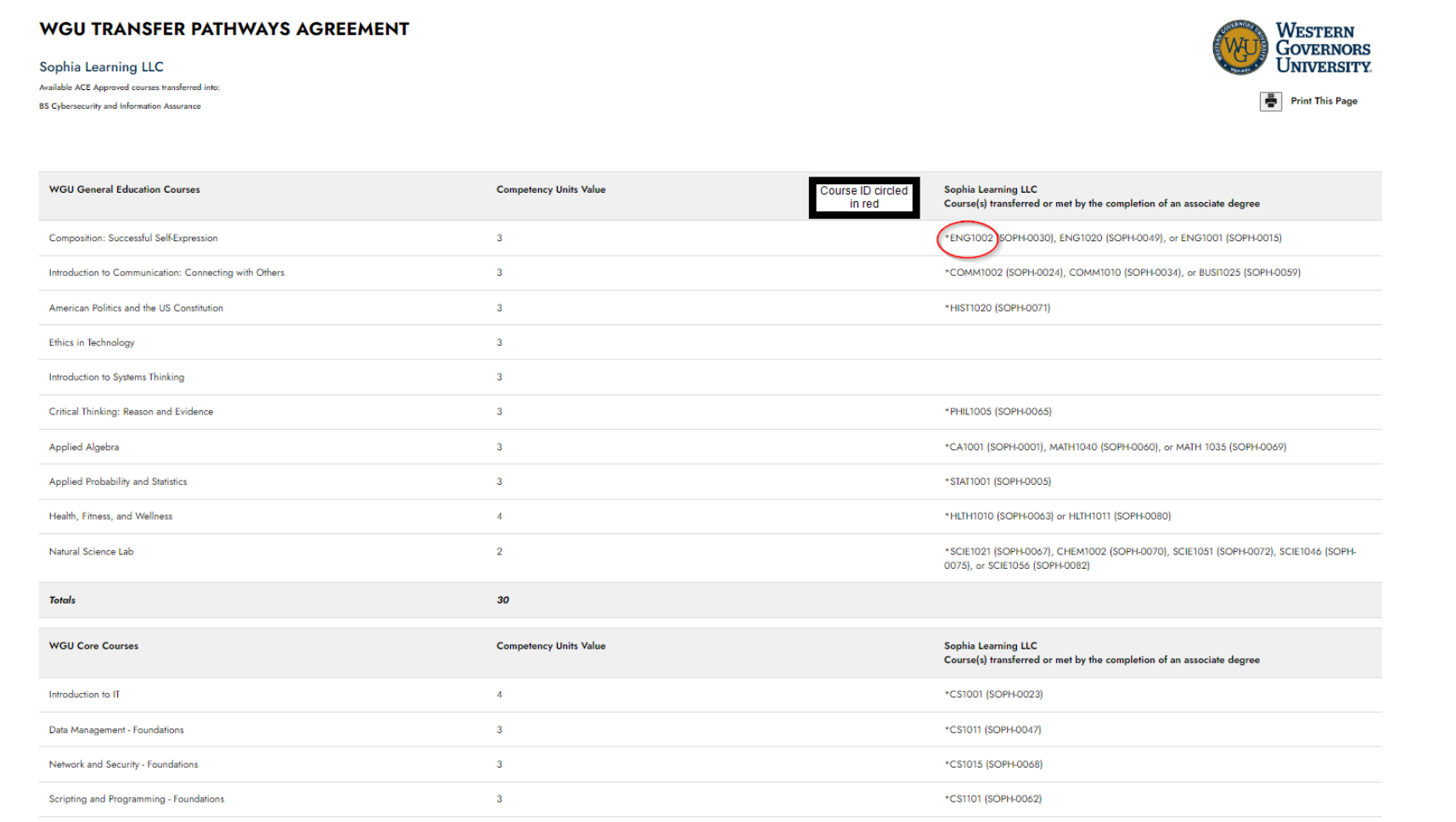
  • On the left side, you’ll see the required WGU courses for the degree.
  • On the right side, you’ll see the corresponding Sophia.org classes that can be transferred in place of the WGU class.

Checking Sophia Class ID

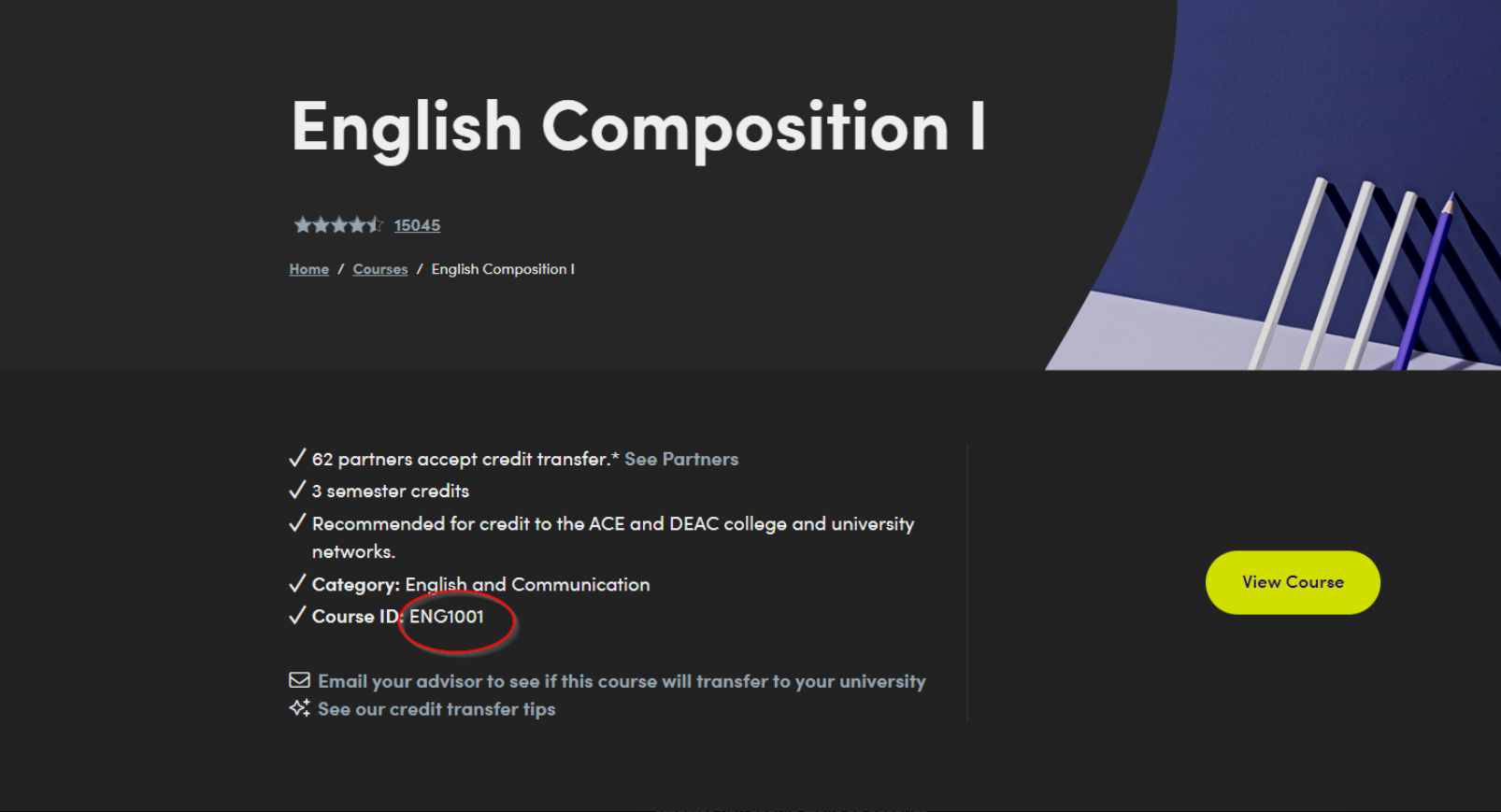
  • Ensure you are enrolling in the correct Sophia courses by matching the Course IDs. 
  • For example, for “Composition: Successful Self-Expression” at WGU, you might need to complete “English Composition I” (Course ID: ENG1001) at Sophia.
  • Notice that the course ID on sophia.org matches the course ID on the WGU webpage.

Save $20 on Sophia

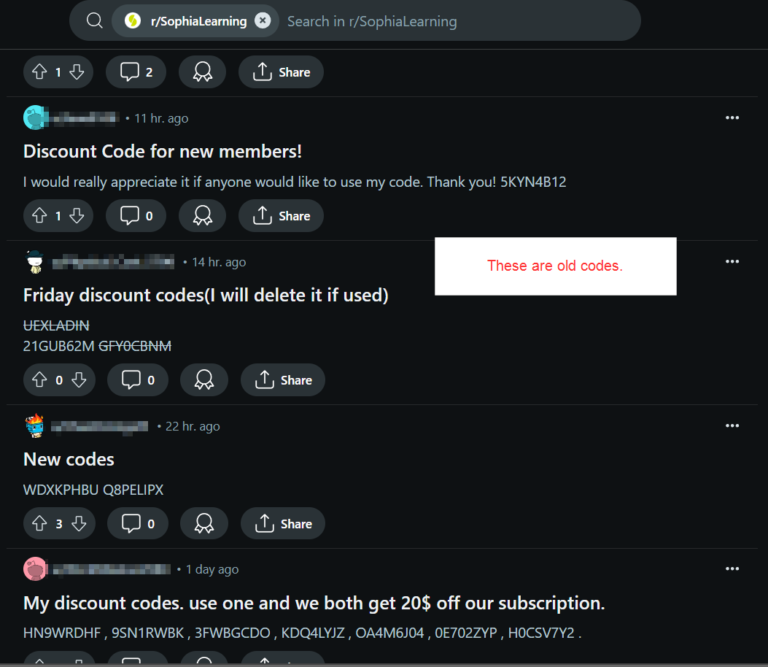
Sophia rewards anyone enrolled with a discount code that gives both of you 20% off.

Check out the Sophia Learning reddit page to find people posting their codes. You may need to refresh for a few minutes (or hours) to get one.

Important: For the Speedsters

  • Touchstone assignments (written assignments) can take time to grade. Avoid enrolling in multiple touchstone courses simultaneously to prevent delays.
  • Always have one touchstone course and one non-touchstone course active. This is so you do not halt your progress waiting for a paper to get graded.

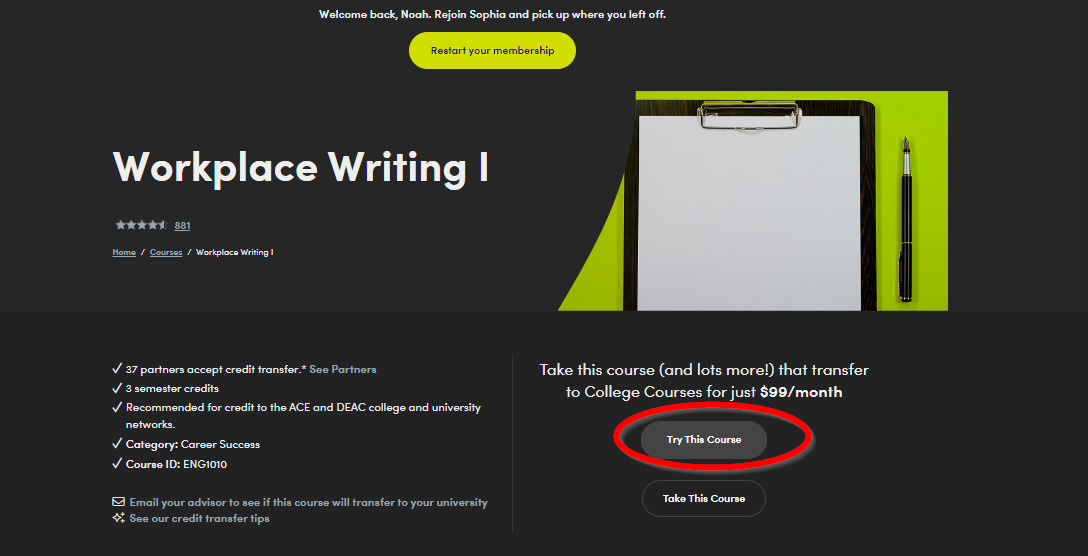
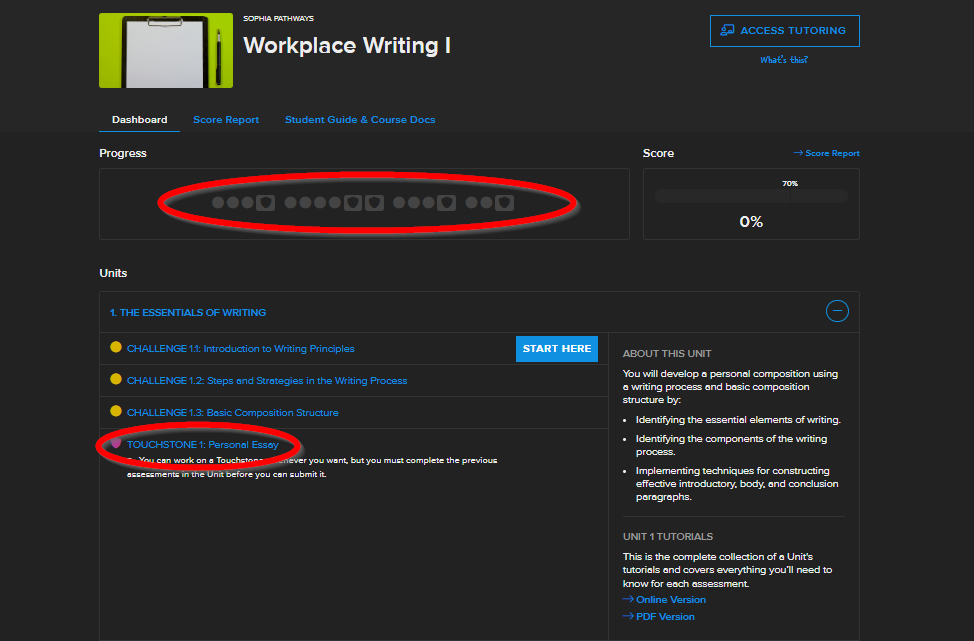
Checking For Touchstones Without Starting The Class

  • When you select “Try This Course” it will bring you to the course conent.
  • Each touchstone is represented with a shield icon.

Sending Your Transcripts

Once you’ve completed the necessary courses, send your transcripts to WGU through Parchment. <—–

Its relatively straight forward once you get to the Parchment website.


From CPTS to OSCP+: Using the Sword to Slay the Dragon​

From CPTS to OSCP+: Using the…

From CPTS to OSCP+: Using the Sword to Slay the Dragon From CPTS to OSCP+: Using the Sword to Slay the Dragon So I passed the OSCP+ WOOHOO!!!. Now it’s time for me to help…
Penetration Testing Writeup: “Active” (Retired Machine from HackTheBox)

Penetration Testing Writeup: “Active” (Retired Machine…

Executive Summary This report summarizes a penetration test conducted against a Windows Active Directory environment. The testing identified critical vulnerabilities including the storage of administrative credentials in Group Policy Preferences (GPP) and weak password policies,…

My Methodology for Passing Any Certification in Under 2 Months

My Methodology for Passing Any Certification…

My Methodology for Passing Any Certification in Under 2 Months Hello! I wanted to share my methodology for earning certifications and learning efficiently without sacrificing quality. Over the years, I’ve developed a system that helps…
More Info

Contact me here 👇

Quick Links

© 2024 Created with Royal Elementor Addons